User guide
Getting started
The Spread Foundry workspace at a glance — views, the masthead, and how to move around.
Spread Foundry is one workspace with a few altitudes. You start calm, drill into what needs you, and drop into the full desk when you want everything.
The four views
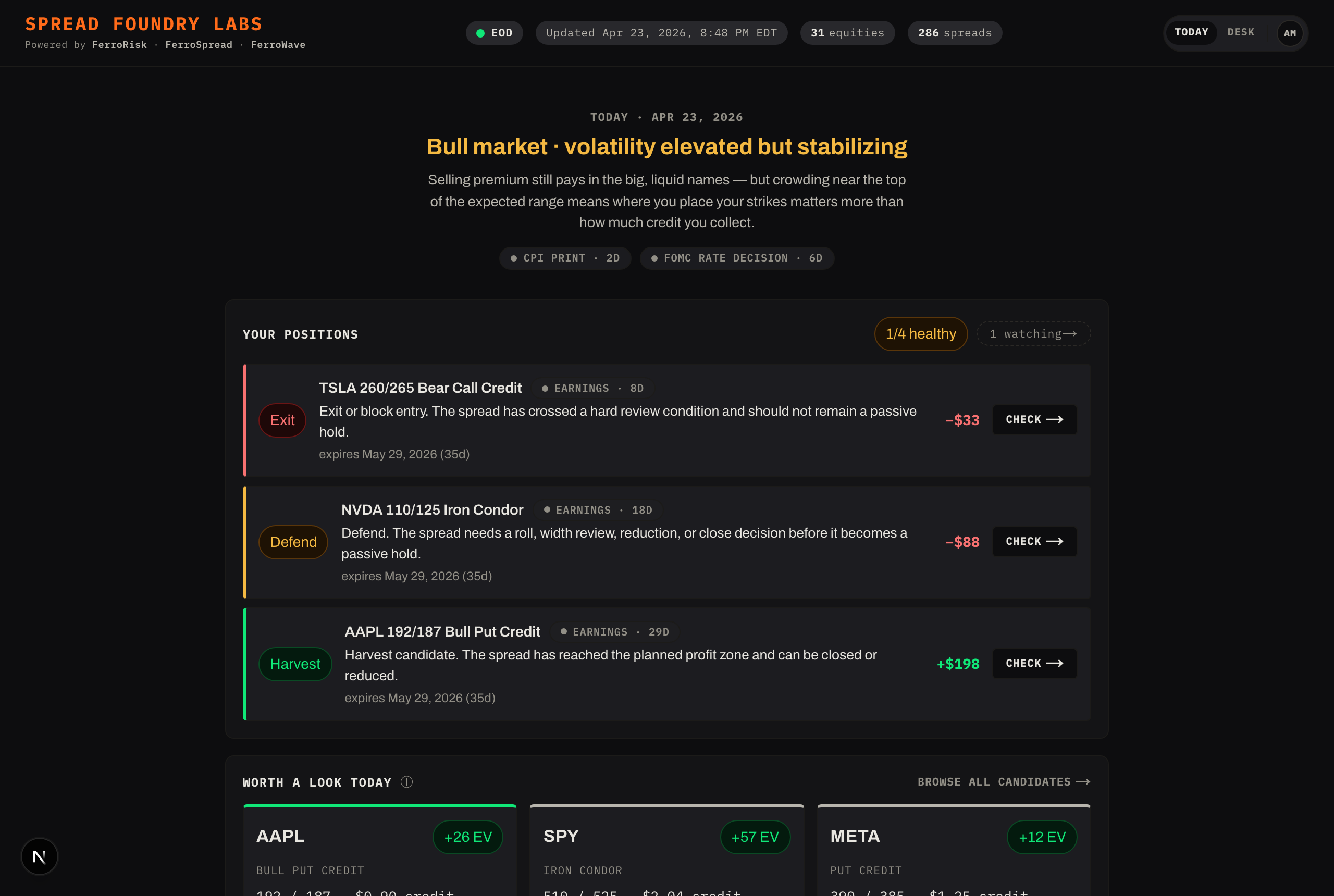
- Today — the calm landing. It answers three questions in order: what's the market doing, do my positions need me, and what's worth a look today. Most sessions start and end here.
- Desk — the full workspace: a left rail of symbols or saved spreads, the cockpit in the middle, and a health sidebar. This is where the work happens.
- Focus — one thing at a time: a single symbol's cockpit or a single position's health check, with no rail. You land here when you "Check" a position or "Review" an opportunity from Today, so you never get dropped into the dense desk by accident.
- Profile — your settings and defaults.
Switch between Today and Desk with the toggle in the top bar. From a Focus view, use ← Today to go back or Open full desk → to expand.
The desk has two lanes
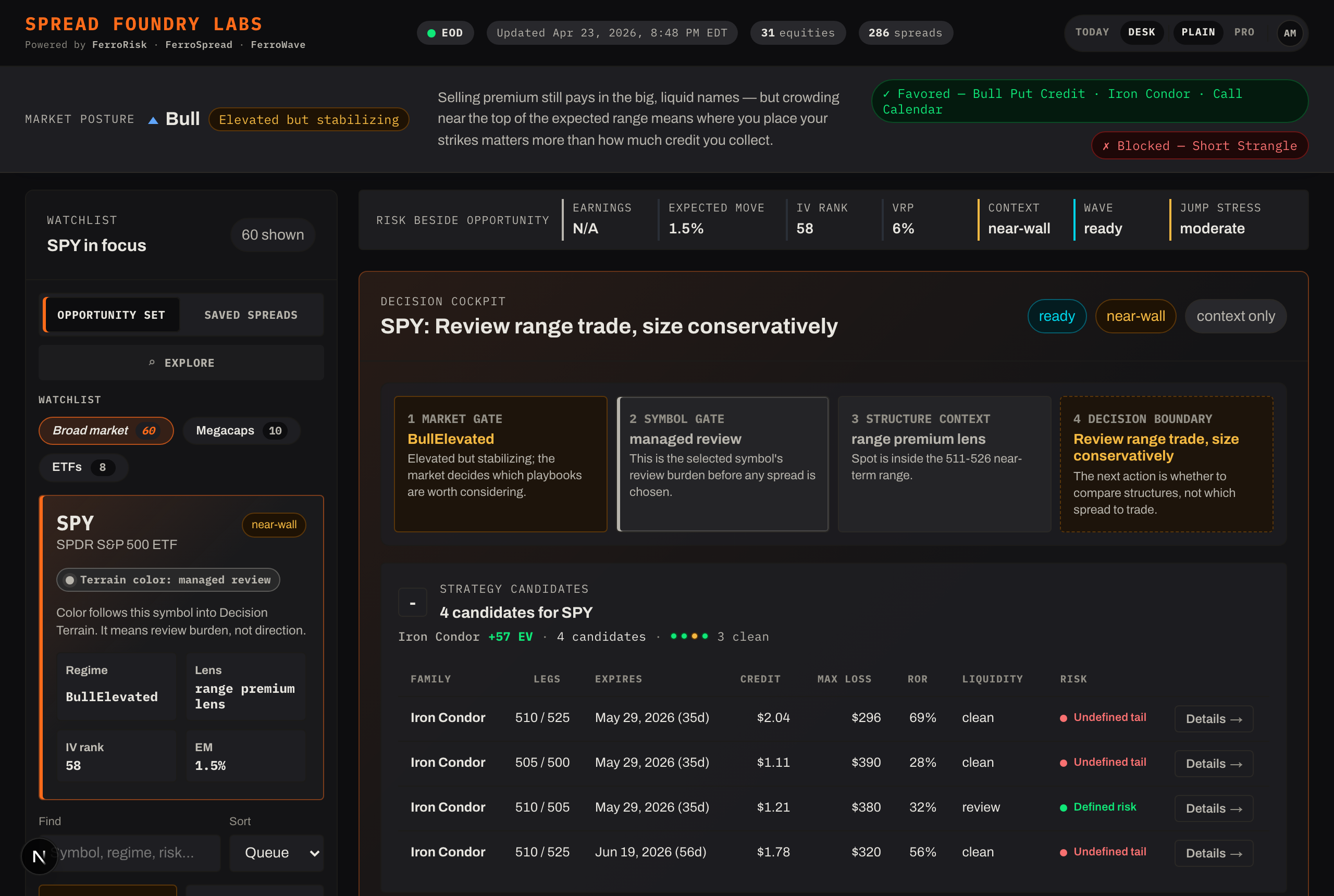
On the Desk, a toggle switches the left rail between:
- Opportunity Set — symbols and their candidate spreads (pre-trade triage).
- Saved Spreads — the spreads you're tracking (post-decision management).
They're two different jobs: finding something to trade vs. managing what you already have.
The top bar (masthead)
- The wordmark with a "Powered by FerroRisk · FerroSpread · FerroWave" line.
- A snapshot freshness indicator — when the data was last published, how many names are covered, and whether anything is stale or degraded. (See Reading the screen.)
- Today / Desk and Plain / Dense toggles.
- Your account menu (avatar) → Profile & settings, Sign out.
Plain vs Dense reading
The Plain / Dense toggle changes how much shorthand a screen uses — not what data you get:
- Plain spells things out in plain language, for learning and fast triage.
- Dense uses trader shorthand and denser parameters.
Switch any time; the layout stays put.
Moving around
- From Today, Check → on a position opens its cockpit; Review → on an opportunity opens that symbol. Both land in Focus.
- Browse all opens the Spread Explorer.
- The browser Back button always returns you one step.
Next: Key concepts — the one idea that makes the rest click.