User guide
Finding spreads
Use watchlists and the Spread Explorer to find candidates worth studying.
There are two ways to find candidates: scan your watchlist symbol by symbol, or scan the whole universe at once in the Explorer.
Watchlists and the symbol queue
In the Opportunity Set lane, the left rail is your symbol queue. It works in two tiers: pick a watchlist (a named universe), then refine it.
- Switch watchlists from the selector pills — Broad market (everything), Megacaps, ETFs, or your own. Each pill shows how many names it holds.
- Filter the queue by attribute — clean, bull elevated, needs review, wave degraded — each with a live count.
- Search by ticker, name, regime, or family.
- Sort by queue order, symbol, IV rank, or number of candidate ideas.
- Recents keep your last few symbols handy without reordering the queue.
Reading a symbol row
Each row gives you the gist before you commit attention:
- Risk state — clean, near a wall, earnings watch, positioning conflict.
- A workflow cue — e.g. "Eligible for comparison" or "Hold for catalyst review."
- A friction color — how much review burden this name carries (low friction → hard-review). Color communicates burden; it never blocks you from looking.
- Metrics — IV rank, expected move, signal quality, VRP, and how many candidate ideas exist.
Selecting a symbol loads its cockpit: the market posture and risk-surface strips up top, the candidate spreads table, and a structure view of where price sits relative to the expected move and the key walls.
The Spread Explorer
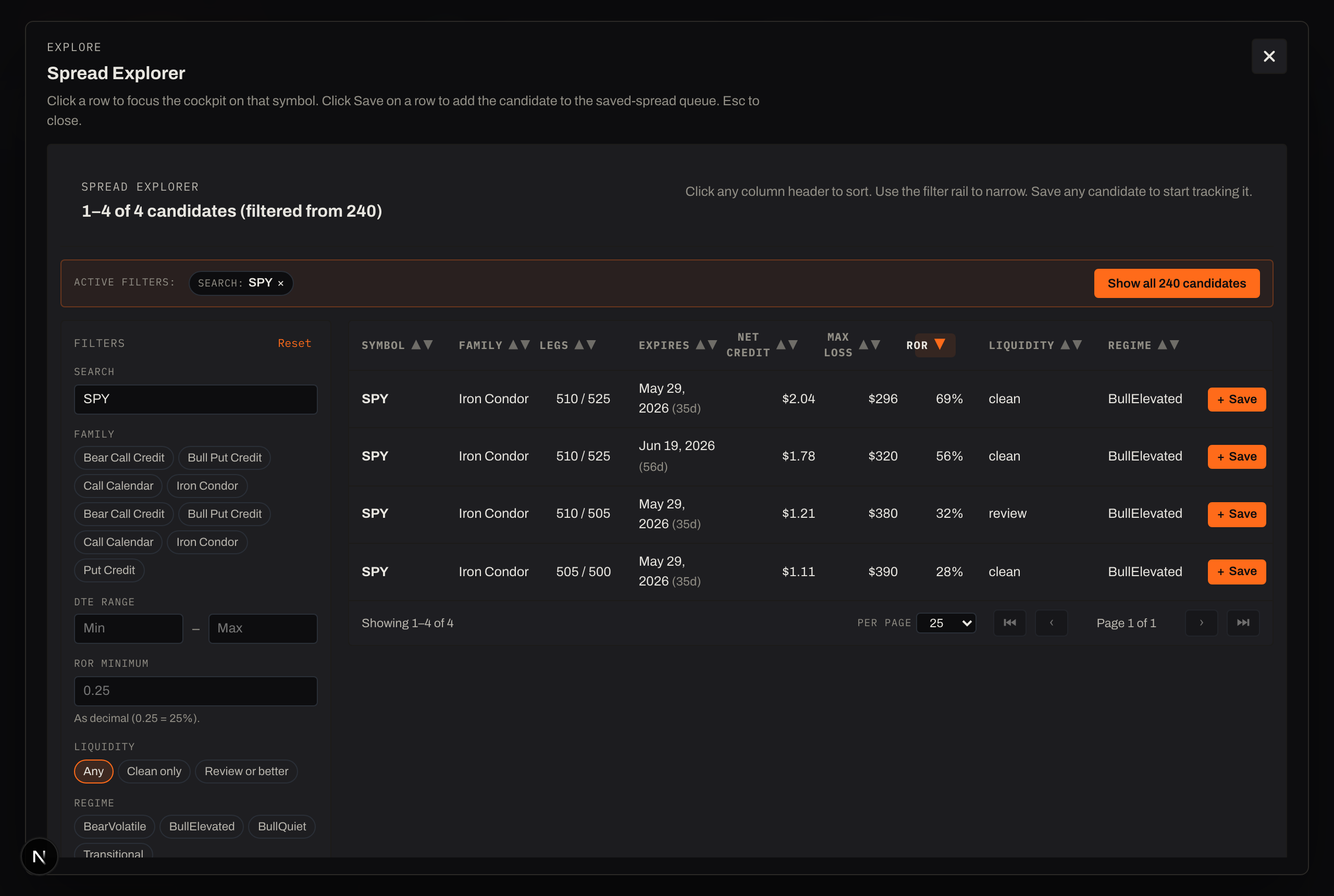
The cockpit answers "is this candidate worth saving?" The Explorer answers the other question — "is there a better one I haven't looked at?" — by scanning every candidate across your watchlist at once.
Open it from the ⌕ Explore button in the rail, Browse all on Today, or an empty-state prompt. It's a full overlay; Esc or the close button drops you back exactly where you were.
Inside, narrow the field with the filter rail:
- Search (symbol or family), Family, DTE range, RoR minimum, Liquidity (any / clean only / review or better), and Regime.
- Sort any column (Symbol, Family, Legs, Expires, Net credit, Max loss, RoR, Liquidity, Regime); it opens sorted by Return on Risk, highest first.
- Page through results (25 / 50 / 100 per page).
- Active filters show as chips you can clear one at a time.
From any row: Save to start tracking it, or click the row to focus the cockpit on that symbol. Once you've found one worth a closer look, head to Studying a spread.